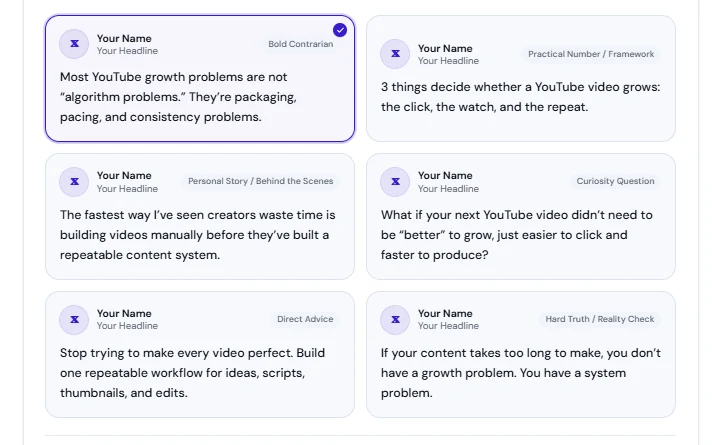
Turn an idea into a first draft
AI Copilot
Give Copilot a prompt or an existing draft, then shape the wording.
Review and edit suggestions before you publish.
Try in your workspace
The complete toolkit
Explore the tools for creating, publishing, engaging, and managing growth. Features and monthly limits vary by plan.
See real PostGrowly screens and a sample workflow for each tool.
PostGrowly features
From a rough idea to a scheduled post.
AI Copilot
Give Copilot a prompt or an existing draft, then shape the wording.
Review and edit suggestions before you publish.
Try in your workspaceVoice typing in AI Copilot
Record a message and turn it into editable text in Copilot.
Use the microphone in Copilot. Monthly voice minutes vary by plan.
Try in your workspaceVoice profile & content pillars
Use past X posts, tone, audience, and content themes to inform AI writing.
Suggestions are starting points you can review and edit before publishing.
Try in your workspace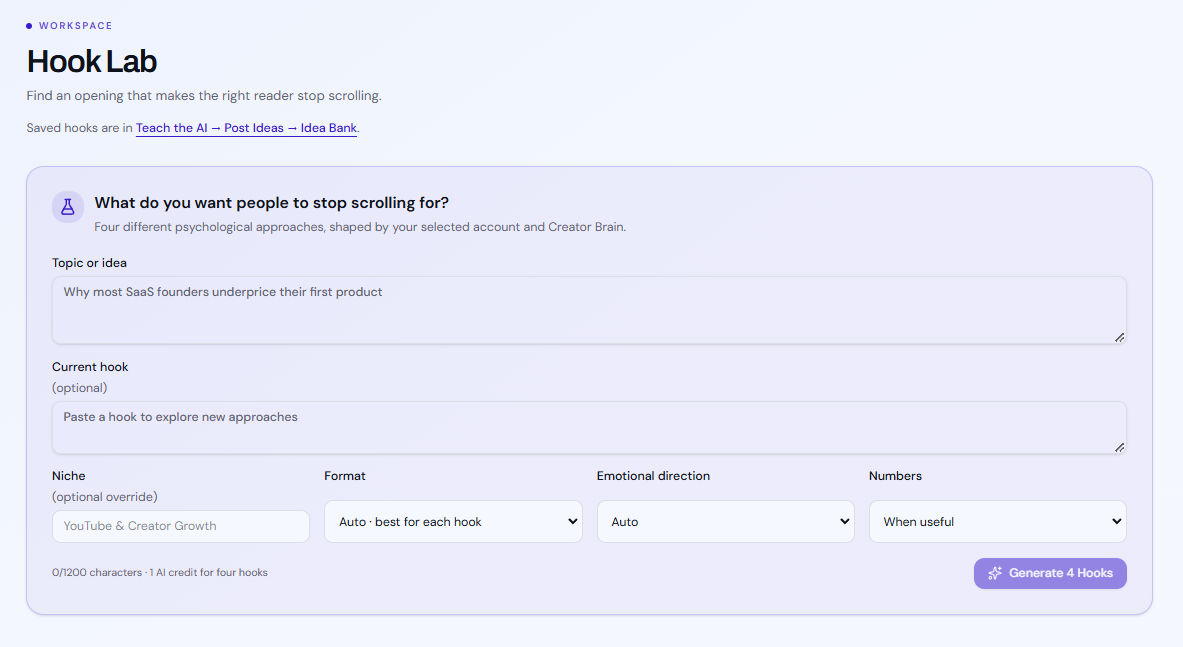
Hook Lab
Generate and compare alternate openings for the same idea.
Choose an opening or revise it before developing the full post.
Try in your workspaceWrite and preview the right format.
Use the composer for a short post, a connected thread, or a long post up to 25,000 characters.
Try in your workspaceBreak a longer idea into readable posts.
Split longer writing into thread-sized parts and review the sequence before scheduling.
Try in your workspaceTurn existing material into X content.
Bring a video or notes into the creation workflow and edit the resulting draft.
Try in your workspaceAdd visuals to a post.
Create or attach an image and prepare a shareable visual alongside your copy.
Try in your workspace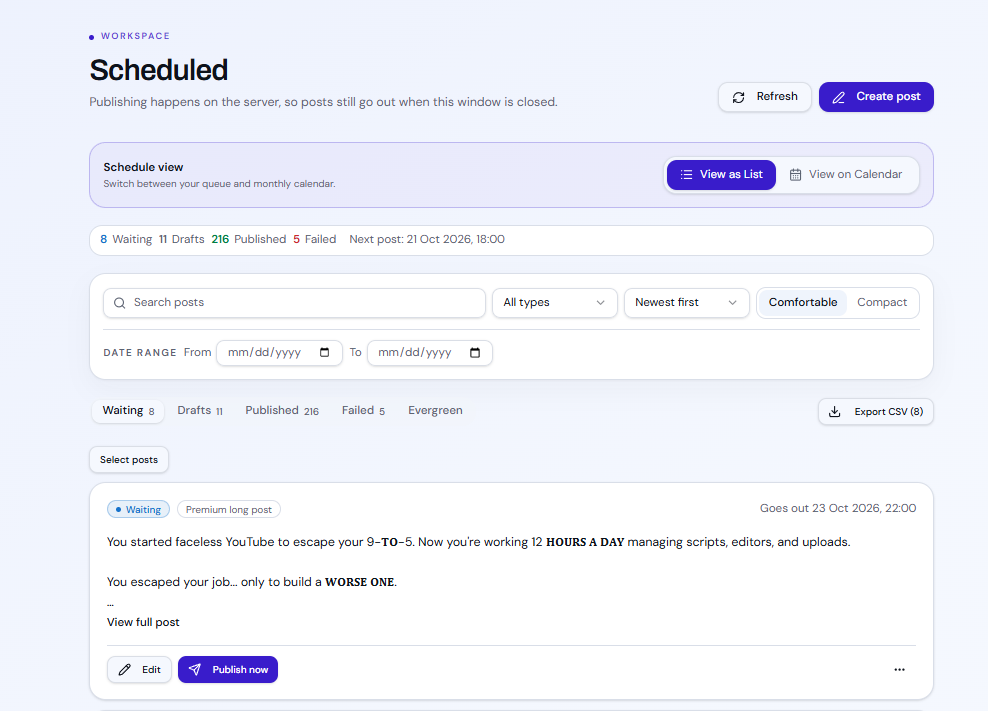
Calendar & scheduling
Schedule approved posts for a time you choose.
Use list and calendar views to organize upcoming posts.
Try in your workspaceBring useful past posts back into the queue.
Choose reusable posts and manage when they return to the publishing queue.
Try in your workspacePostGrowly features
Learn what lands, then follow up.
Trending topics
Browse recent sources and conversations related to a topic.
Review sources and choose an angle for your audience; suggestions aren’t guaranteed trends.
Try in your workspaceFind and save posts worth learning from.
Search X, save examples, and create original content inspired by their structure.
Try in your workspace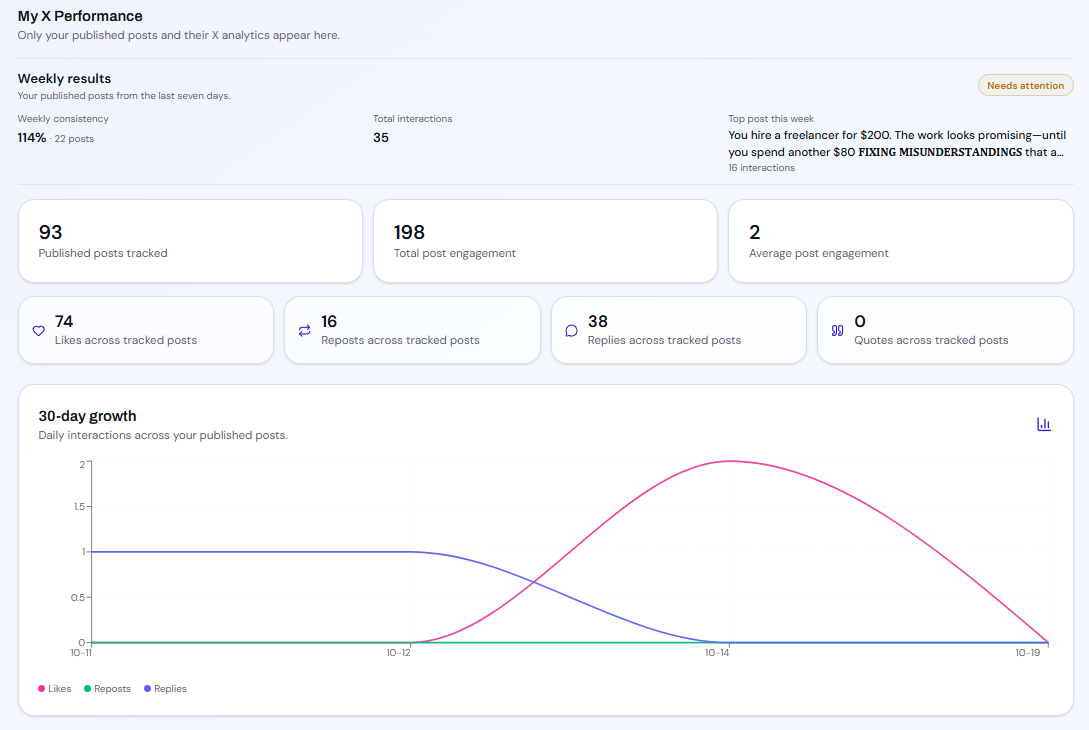
Post analytics
Review captured engagement metrics for published posts.
Compare interactions and look for patterns you might test next.
Try in your workspaceSchedule around suggested audience peaks.
Use measured posting results to test suggested times for future posts.
Try in your workspaceAI Growth Agent
Use guided recommendations to move between ideas, drafts, scheduling, and review.
Review three daily ideas with one complete draft each, approve posts for the queue, refresh metrics, and rate suggestions. You decide what gets scheduled.
Try in your workspaceAdd a useful reply or link after posting.
Set up a follow-up reply to share extra context or a relevant link.
Try in your workspaceGive selected posts another moment in the feed.
Choose posts for a later repost and manage the timing from your queue.
Try in your workspace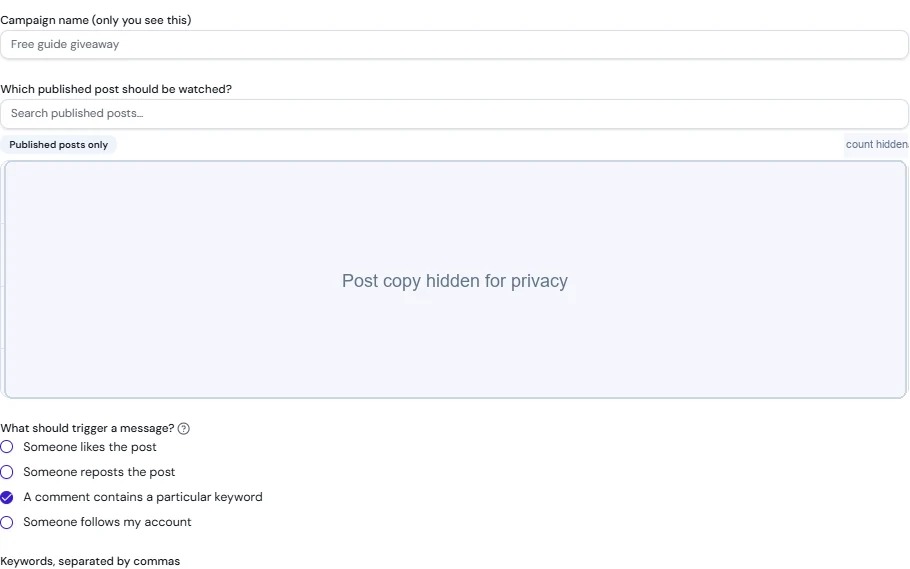
Reply-triggered Auto-DMs
Set up a disclosed campaign to deliver a resource after a reply.
Use pacing, limits, duplicate checks, and opt-outs to manage delivery.
Try in your workspace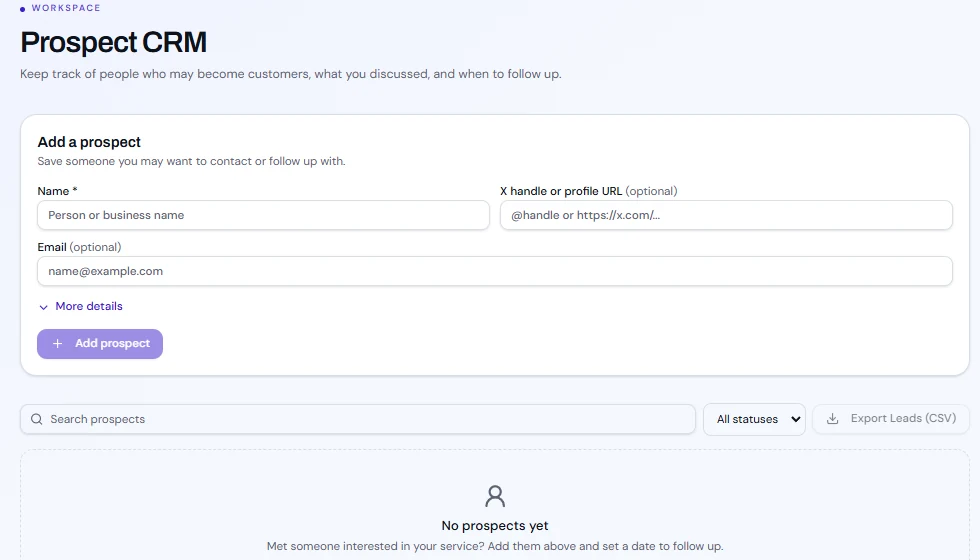
Track leads, notes, and follow-ups.
Organize contacts by status, record notes, and set follow-up dates.
Try in your workspacePostGrowly features
Keep accounts, campaigns, and teams organized.
Work across the profiles your plan supports.
Connect and manage X accounts within your plan's account allowance.
Try in your workspaceSeparate content and activity by brand.
Keep briefs, drafts, and campaign work organized by workspace.
Try in your workspaceSet owner, admin, and member permissions.
Invite teammates and assign access suited to their responsibilities.
Try in your workspaceSpot gaps and failed posts before they pile up.
Review upcoming slots and posts that need attention before they interrupt your schedule.
Try in your workspaceUse pacing, limits, duplicate checks, and opt-outs.
Set guardrails for DM campaigns and review their delivery behavior.
Try in your workspaceReview sent, skipped, and opted-out DMs.
Inspect campaign message logs and follow up on delivery outcomes.
Try in your workspaceCheck posting, messaging, and reposting status.
See whether background publishing and engagement jobs are healthy.
Try in your workspaceStart free and compare limits before you upgrade.
No credit card required at signup