Choose a published post
Select the X post that offers a resource. The campaign needs a published post for a reply-based trigger.

X Auto-DM tool
Connect a campaign to a published X post, choose the reply that should trigger a message, and write a useful DM. PostGrowly includes pacing, delivery caps, duplicate checks, and STOP opt-outs.
Explore campaigns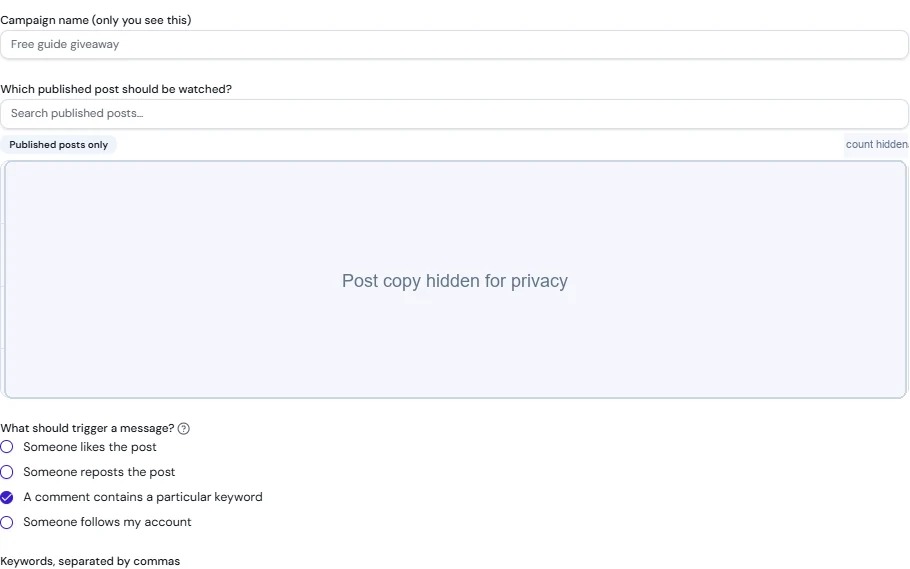
Select the X post that offers a resource. The campaign needs a published post for a reply-based trigger.
Choose a reply keyword such as GUIDE, write the promised DM, and make the public call to action clear.
Set a delivery cap and review pacing, duplicate checks, and opt-outs before starting. Check campaign activity afterward.
Illustrative example
Public post: ‘I made a checklist for planning a YouTube video. Reply GUIDE if you want me to send it by DM.’
Campaign trigger: a reply containing GUIDE. Message: ‘Thanks for asking for the checklist. Here is the link: [your resource URL]. Reply if you want help using it.’
The creator chooses the published post, checks the link and message, sets a cap, and starts the campaign. People can use STOP to opt out.
Illustrative campaign only. Replace the placeholder with your own resource and confirm the campaign follows X rules. Availability and monthly DM limits depend on your plan.
For reply-based campaigns, first publish the X post, then select it in the campaign setup.
PostGrowly's campaign safety controls include a one-DM-per-user limit across the campaign lifetime and duplicate checks.
Yes. The campaign supports STOP opt-outs. Review the current plan limits and X rules before launching.
Review the tool and plan limits before publishing or starting a campaign.