Choose Thread
Open Create Post, select the Thread format, and write or split your idea into connected parts.

X thread scheduler
Build a connected X thread in PostGrowly, preview each part, and choose when it should go out. The Scheduled page keeps waiting, draft, published, and failed posts visible in one place.
Create a thread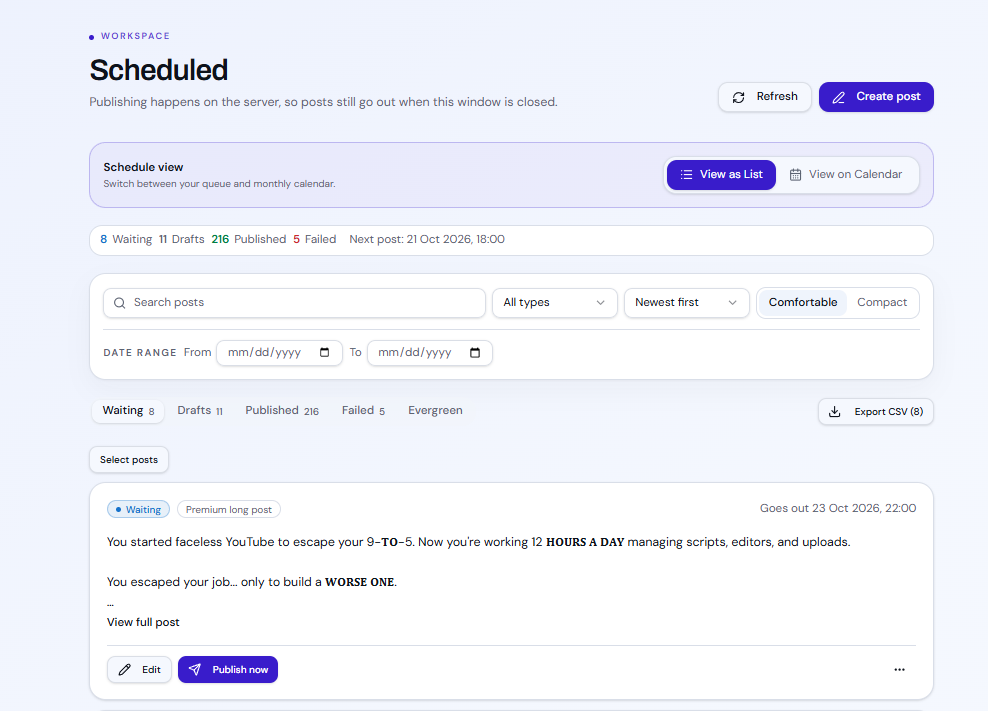
Open Create Post, select the Thread format, and write or split your idea into connected parts.
Preview the full sequence, select the connected X account, and choose a date and time in your workspace timezone.
Open Scheduled to see the waiting thread alongside drafts, published posts, and failures. Switch between list and calendar views.
Illustrative example
A creator has five short lessons on why a YouTube thumbnail should not repeat the video title.
They put the opening claim in part one, one lesson in each middle part, and a practical checklist at the end. They preview all five parts and schedule the thread for Tuesday at 9:00 AM in their workspace timezone.
The thread appears in Waiting. They can open it from Scheduled before it publishes to review or edit it.
This is a sample workflow, not a claim that this exact thread was published. Publishing requires a connected X account and an eligible plan.
Yes. The composer previews its parts before scheduling, and the Scheduled page shows the waiting item.
Use Scheduled in your workspace. It offers list and calendar views plus waiting, draft, published, and failed filters.
You choose the publishing date and time. Suggested timing may be available on eligible plans, but you approve the schedule.
Review the tool and plan limits before publishing or starting a campaign.